What Is a Tattoo Font Generator?
A tattoo text generator is a browser-based tool that lets you type any word, name, or phrase and instantly see it rendered in dozens of tattoo font styles. No apps to download. No account needed. It works on both mobile and desktop, right in your browser.
Thousands of users come here every day to explore cool fonts for tattoos — whether they're planning their first piece or their fifteenth. The idea is simple: you enter text, and the tool transforms it into styled lettering across multiple tattoo font styles at once.
Here's what makes this different from a basic font generator:
- Instant preview — Every font renders in real time. No page reloads. No loading times.
- Preview updates live — As you type, the preview updates instantly.
- No installation — It works without installing anything with our cute fonts standards.
- Font rendering across styles — From bold fonts gothic lettering to flowing cursive fonts scripts, you see them all at once.
This isn't just a font generator. It's a full tattoo font creator built specifically for tattoo lettering. Whether you call it a tattoo font maker, a tattoo lettering generator, or a tattoo word font generator — it does the same thing: it takes your text and turns it into something you can actually bring to a tattoo artist.
What Can You Do With It?
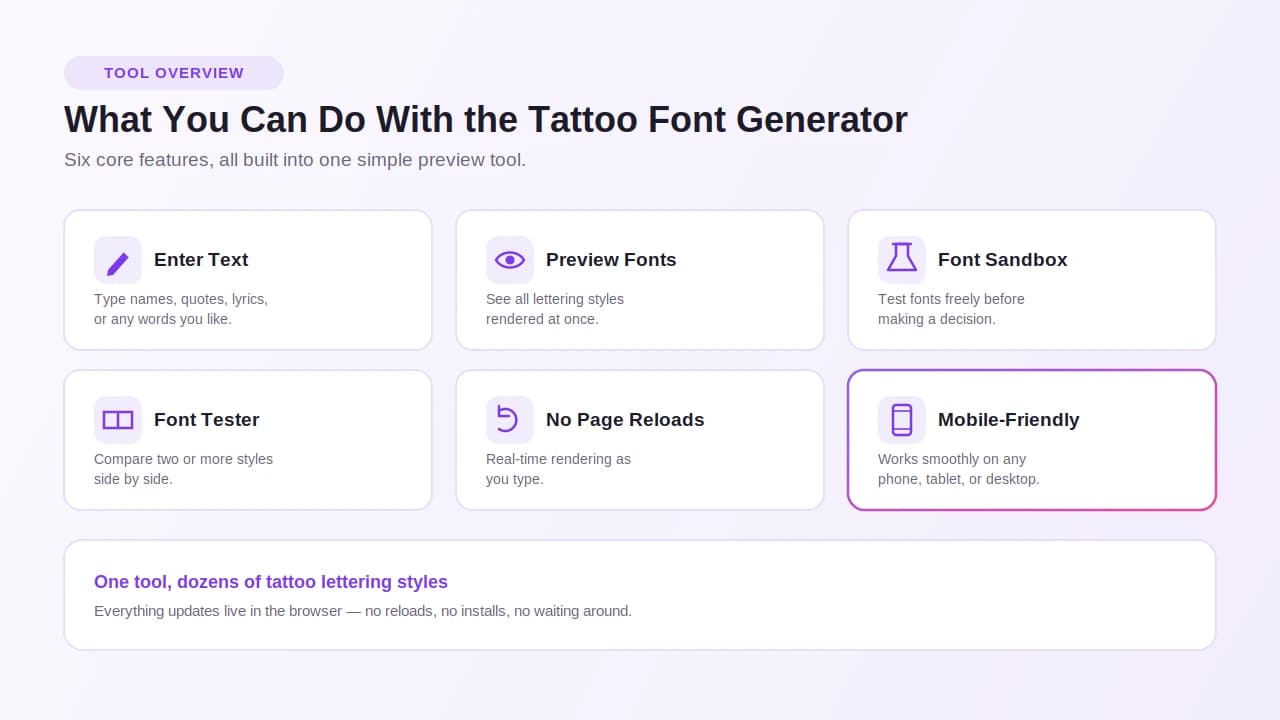
| Feature | What It Means |
|---|---|
| Enter text | Type names, quotes, lyrics, or any words |
| Preview fonts | See all lettering styles at once |
| Font sandbox | Test fonts freely before deciding |
| Font tester | Compare styles side by side |
| No page reloads | Real-time rendering as you type |
| Mobile-friendly | Works on any device |
The tattoo font generator sandbox lets you experiment with typography styles without any pressure. You can scroll through hundreds of tattoo fonts, test different lettering styles, and lock in the right look — all before sitting in the chair.
Tattoo designs start with an idea. This tool turns that idea into lettering you can actually see, share, and use.
Why Use Our Tattoo Font Generator?
There are a lot of reasons people keep coming back here. Let's break them down honestly.
It's Completely Free
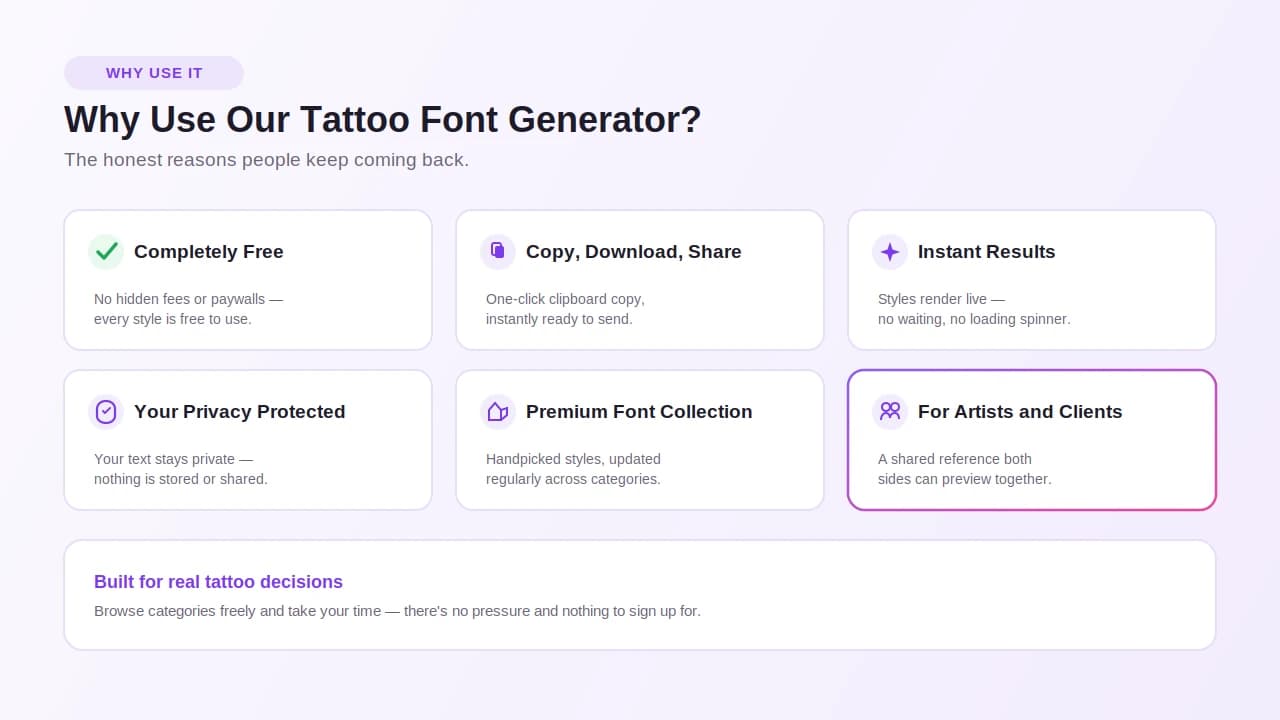
This is a free tattoo font generator — no hidden fees, no watermarks, no account creation required. You get full access to the entire premium typography collection without paying anything. No registration wall. No upsell after you pick a font.
Free downloads are available for every font. You get real downloadable font files, not low-resolution screenshots.
Copy, Download, and Share Instantly
Once you find the right look, you have a few options:
- Clipboard copy — Copy the styled text with one click.
- Download font files — Save the actual font for your artist or for print.
- Download high-quality images — Export transparent PNG files with transparent backgrounds, ready to share.
- Share with friends and family — Easy sharing means you can get feedback before finalizing.
This makes collaboration with your tattoo artist smoother. Send them a prepared lettering mockup. Show your friends or family before your studio session. Save variations to build a reference pack.
Instant Results — No Waiting
This is one of the fastest font generators available. Real-time previews mean you're not sitting there waiting. Type your text, and the instant previews appear. It's that quick.
Your Privacy Is Protected
Everything runs on client-side processing. That means:
- Your text stays on your device.
- There's no data collection.
- It works offline once loaded.
- It's completely private and secure.
Nothing you type gets stored or sent anywhere.
A Premium Font Collection — Handpicked and Updated
The library here isn't random. It's a curated collection of handpicked fonts across every category tattoo enthusiasts actually use. The collection gets updated regularly so you're always working with fresh, relevant options.
You can:
- Browse categories freely.
- Explore different font families and test fancy fonts styles.
- Select favorites to compare.
- Manage your workspace and mood board.
Built for Testing Legibility
Good tattoo lettering isn't just about looking cool on screen. It needs to hold up on skin, over time, at real size. That's why this tool includes features that help you evaluate fonts the right way:
- Adjust kerning — Fix spacing between letters.
- Adjust sizing — Use the slider to test font size.
- Readability pass — See if the text stays clear at small sizes.
- Simulate placements — Toggle between layouts that mimic delicate wrist scripts, bold chest pieces, tiny quotes, and spine scripts.
- Actual size preview — See what the text looks like at the real scale for small tattoos.
Testing legibility and clarity before the stencil stage saves time — and avoids regret.
For Artists and Clients Alike
This tool works for tattoo artists who need artist-friendly downloads to show clients. It works for clients who want professional quality references before their appointment. And it works for anyone just starting to explore what their tattoo could look like.
Satisfied users range from first-timers picking a name tattoo to experienced collectors comparing font families for multi-piece projects. Creative freedom is the point. No limits. No pressure.
How to Use the Tattoo Font Generator
Using this tool is straightforward. Here's a step-by-step walkthrough.
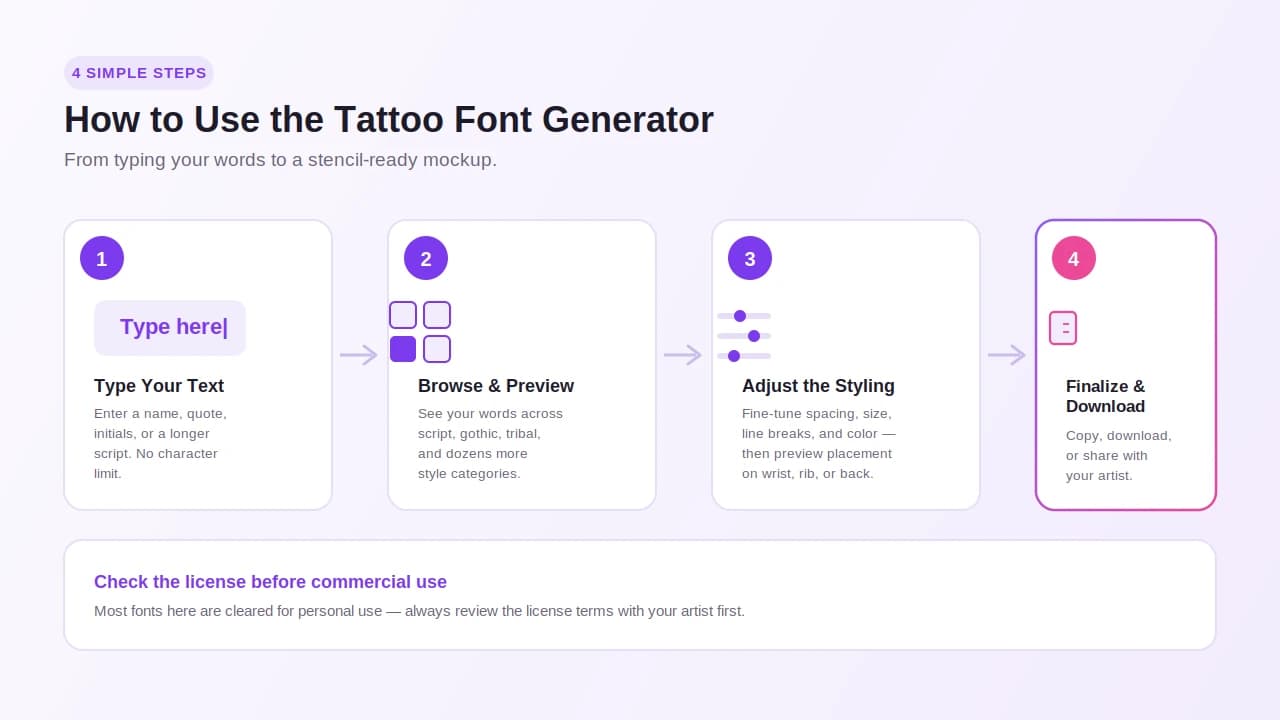
Step 1 — Type Your Text Into the Input Box
Click the input box and start typing. You can enter:
- Names — single names or full names
- Phrases — short or long
- Quotes — personal or meaningful
- Initials — uppercase initials or monograms
- Symbols — special characters or decorative marks
- Longer scripts — mantras, lyrics, vows, or coordinates
There's no character limit. Whether it's a single letter or a multi-line passage, the box handles it.
Step 2 — Browse Font Variations and Preview Styles
Once you enter your words, the preview loads instantly. You'll see your text rendered across dozens of styles. This is where the real exploration begins.
Here's a breakdown of the main style categories available:
| Style Category | Examples |
|---|---|
| Script / Cursive | Cursive scripts, flowing handwriting, feminine scripts |
| Calligraphy | Classic calligraphy, brush lettering, refined flourishes |
| Gothic / Blackletter | Old English styles, classic gothic, bold gothic lettering |
| Handwriting | Handwritten fonts, handwriting fonts |
| Block / Display | Bold lettering, display families, block fonts |
| Sans / Minimal | Minimal sans-serif fonts, sans, serif |
| Tribal | Bold tribal lettering, tribal tattoo lettering |
| Realism & Surreal | Realism lettering, surreal tattoo concepts |
| Gangster | Gangster lettering styles, medieval-inspired |
The tattoo font generator script layouts and tattoo font generator cursive fonts options are especially popular. The tattoo script generator and tattoo calligraphy fonts generator sections cover flowing lettering with curves, ornaments, and flourishes. For bolder choices, the tattoo handwriting font generator and old English styles give that classic, timeless feel.
Pay attention to:
- Line weight — thin and fine-line lettering vs. heavy strokes
- Angles — crisp and straight vs. curved and organic
- Ornaments — clean and minimal vs. ornate with balanced flourishes
Step 3 — Adjust and Dial In Styling
Once you find a few options you like, start refining:
- Spacing — Adjust the space between letters and words.
- Manage line breaks — Wrap text across multiple lines for longer phrases.
- Size — Scale the text up or down.
- Color — Switch the preview color.
- Background — Toggle the background to see contrast.
- Simulate placements — Preview how the text might look on wrists, ribs, or back pieces.
This is your chance to fully dial in styling before moving forward. Think about the location and placement. A spine script behaves differently than a wrist piece. A rib piece has different spacing needs than a back piece.
Step 4 — Finalize, Download, or Copy
When you're happy with the result:
- Download the font file or a downloadable image.
- Copy it to your clipboard for quick sharing.
- Share with your artist — Send them a prepared lettering mockup before the stencil stage.
- Consult and collaborate — Use the preview as a reference during your studio session.
- Check the license — Look at the license information to ensure compliance, especially if the font is for commercial use vs. personal-use.
- Make final adjustments — Work with your artist to confirm the final art before confirming.
Checking license terms before using a font for any commercial purpose is important. Most fonts here are cleared for personal-use, but always review the usage terms.
Customize Your Tattoo Text
One of the best parts of using this tool is how much you can personalize it. This isn't about picking a font off a list. It's about creating something that actually fits you.
Start With What the Text Means
Before you pick a style, think about what the text represents. The tone, message, and mood of the words should guide the aesthetic. A memorial piece calls for something different than a bold statement tattoo.
Here are some common use cases and style directions that tend to work well:
| Text Type | Suggested Direction |
|---|---|
| Names / Family names | Elegant cursive, classic script, calligraphy |
| Memorial pieces | Flowing lettering, refined script, balanced flourishes |
| Quotes / Phrases | Depends on tone — bold or delicate |
| Initials / Monograms | Display fonts, ornate lettering, serif |
| Coordinates / Lyrics | Minimal, clean, fine-line |
| Mantras / Vows | Flowing cursive lettering, journaled handwriting |
Tattoo Fonts for Men vs. Women
People often ask about tattoo fonts for men and tattoo fonts for women. The truth is, there are no hard rules. But here are patterns that show up often:
Styles that lean toward athletic aesthetics and bold energy:
- Bold gothic lettering
- Blackletter and medieval-inspired designs
- Block and display fonts
- Traditional and old English styles
Styles that lean toward romance, softness, and intimacy:
- Flowing lettering and cursive lettering
- Feminine scripts and handwritten letter styles
- Elegant calligraphy with balanced flourishes
- Journal-style handwriting fonts
Both men and women use every style. These are just starting points for creative inspiration.
Tattoo Fonts for Names
Tattoo fonts for names are one of the most searched categories here. A name tattoo is personal, so the font needs to carry weight. A few tips:
- Short names work well with intricate fonts — there's room for detail.
- Minimal initials look sharp in clean, crisp display or serif fonts.
- Longer names need spacing that stays legible even at smaller sizes.
The tattoo name generator feature lets you enter any name and instantly see it across all lettering styles. You can explore categories, compare styles, and visualize the finished creation in seconds.
Think About Size, Placement, and Clarity
Your location and placement matter more than people expect. Here's a quick guide:
| Placement | What to Consider |
|---|---|
| Wrists | Small size — legibility is key |
| Ribs | Spacing and line breaks for curved surface |
| Back pieces | Room for larger, bolder designs |
| Spine scripts | Vertical wrap, fine-line lettering works well |
| Tiny quotes | Clarity at actual size — avoid overly intricate fonts |
A healed piece can look different from a fresh one. Realism tattoo concepts, tribal styles, and gangster lettering vibes all age differently. Small sizes with complex fonts can blur over time. Test legible text at actual size before deciding.
Transform Text Into a Personal Piece
Use the tool to transform text into something that feels like yours. Try multi-word designs with contrast between bold and delicate scripts. Use balanced layouts for longer scripts. Play with energy and fluid motion in cursive styles. Look at how the font fits your personal style and ages with your aesthetic.
Eye-catching designs come from matching the right premium typography collections to the right message. Don't rush it. Explore categories. Let the perfect design come to you.
Tattoo Font Styles and Typography Guide
This is a complete guide to choosing and designing body art lettering. Understanding typography before you commit to ink makes the whole process easier.
The Main Tattoo Font Style Categories
1. Script and Cursive Styles
Script fonts are built on fluid motion. They mimic handwriting and feel personal. Cursive styles range from casual and flowing cursive to tight, refined calligraphy.
- Classic calligraphy — Structured, elegant, often used for formal or memorial pieces.
- Brush lettering — Expressive, loose, painterly.
- Flowing handwriting — Relaxed, organic, intimate.
- Feminine scripts — Soft curves, delicate weight, graceful ornaments.
Tattoo font generator script layouts work especially well for longer quotes and script layouts that wrap across the body.
2. Gothic and Blackletter
Gothic lettering has been tied to tattoo culture for decades. It carries weight — visually and culturally.
- Classic gothic — Traditional, structured, timeless.
- Old English styles — Medieval-inspired, heavy strokes, sharp angles.
- Bold gothic lettering — High contrast, dramatic, strong presence.
- Blackletter — Ornate details, historical roots, striking clarity.
These styles have strong distance readability — they hold up from across a room.
3. Block and Display Families
Block fonts are built for impact. They're crisp, clean, and direct.
- Display families — Large, bold, designed to stand out.
- Serif — Classic structure, professional feel.
- Sans — Clean lines, modern look.
- Minimal sans-serif italic fonts — Simple, contemporary, works well for coordinates and initials.
4. Tribal and Realism
- Tribal tattoo lettering — Bold tribal lettering with heavy line weight and cultural roots.
- Bold tribal lettering — High contrast, graphic shapes, strong structure.
- Realism lettering — Designed to mimic real textures and dimensional effects.
- Surreal lettering — Experimental, creative, unconventional.
Typography Terms Every Tattoo Enthusiast Should Know
| Term | What It Means |
|---|---|
| Kerning | Space between individual letters |
| Line weight | How thick or thin the strokes are |
| Curves | How rounded or angular the letterforms are |
| Ornaments | Decorative elements added to letters |
| Refined flourishes | Elegant extra strokes on letters |
| Spacing | Overall space between words and lines |
| Contrast | Difference between thick and thin strokes |
| Readability | How easy the text is to read |
| Legibility | How clear individual letters are |
Testing Fonts the Right Way
Don't just pick what looks good on screen. Here's a proper legibility testing process:
- Actual size testing — Preview the font at the real size it will be tattooed.
- Distance readability — Step back and see if the text is still clear.
- Compare font families — Look at 3 to 5 similar options side by side.
- Library categories — Browse the curated fonts by category to find the right group first.
- Audition lettering — Type your actual words into every font you're considering.
- Research — Look at healed results of similar styles online.
Working With Your Artist
This tool is built to support the collaborative process between clients and professional tattoo artists. A prepared lettering mockup speeds up the consultation. It gives the artist something concrete to work from at the stencil readiness stage.
When you hand your artist a high-quality export, they can refine the design, check stencil readiness, and give you realistic healed results expectations. That's good for everyone.
The typography toolkit here — from audition lettering to curated font library categories — is designed to help you finalize a decision with confidence before the appointment.
Choosing the Right Tattoo Lettering for Your Story
Choosing a lettering style is one of the most personal decisions in the whole tattoo process. The font you pick isn't decoration — it carries the meaning of the words.
Match the Style to the Story
Here's a simple way to think about it:
| Story or Message | Lettering Direction |
|---|---|
| Bold statements | Gothic, blackletter, old English styles |
| Delicate scripts for family names | Flowing cursive, calligraphy fonts |
| Timeless minimalism | Clean sans, minimal fonts |
| Coordinates or lyrics | Fine-line serif or minimal sans |
| Initials and monograms | Display fonts, ornate classic gothic |
| Longer scripts and mantras | Flowing scripts, wrap text, multiple lines |
| Multi-word designs | Balanced layouts with contrast |
Use the Preview Tools to Compare
Don't guess. Use the tattoo previews to actually visualize your options.
- Preview styles side by side using the compare styles feature.
- Adjust sizing to see how each font holds up at different scales.
- Adjust kerning to tighten or loosen letter spacing.
- Check spacing for multi-word designs and balanced layouts.
- Simulate placements — Test how the font looks on wrists, ribs, or back pieces.
For small tattoos, clarity is everything. A beautiful cursive script can blur at tiny quote size. Test it at actual size before deciding.
Think About Placement and Size Together
Location and placement should influence the font choice, not just the text. Here's what to consider:
- Wrists — Small, fine-line lettering, clear and legible text.
- Ribs — Flowing scripts that move with the body.
- Back pieces — Room for bold chest pieces and larger display fonts.
- Spine scripts — Vertical alignment, tight spacing.
- Bold chest pieces — High-contrast gothic or bold lettering.
A healed piece looks different at 5 years than it does fresh. Readability pass at actual size helps predict how the font will age. Realism tattoo lettering and surreal tattoo concepts need experienced artists. Tribal tattoo lettering holds well over time because of its bold line weight.
Before You Finalize
Run through this checklist:
- ✅ Preview styles at actual size with our pretty fonts layouts.
- ✅ Do a readability pass at small sizes.
- ✅ Check healed piece expectations for the style.
- ✅ Export a prepared lettering mockup.
- ✅ Share with your artist before the stencil stage.
- ✅ Collaborate and make final adjustments using our stylish fonts guide.
- ✅ Confirm the final art before confirming the appointment.
- ✅ Print reference images to bring to the session.
- ✅ Check license information and licensing terms.
- ✅ Ensure compliance with usage terms — especially for commercial use vs. personal-use.
Common Questions About Choosing a Font
Can I use custom designs from this tool for commercial use?
Always check the license information for each font. Some fonts are personal-use only. Others allow commercial use. Reviewing the licensing terms ensures compliance before any public use.
What if I can't decide between two styles?
Download both. Share them with your artist. Consult and collaborate before the stencil stage. Your artist may spot things you don't — like which font holds up better as a healed piece.
Do I need to bring print reference to my appointment?
It helps. A printed reference or a high-quality image export gives your artist something concrete to work from. It also makes the consultation faster and more focused.
Every great tattoo starts with great lettering. This tattoo text generator exists to make that starting point easier, faster, and more personal — so you can walk into your appointment confident in every word, every curve, and every stroke.
FAQs
Is the tattoo font generator free to use?
Yes, it’s completely free to use—no sign‑ups, no hidden fees, just open it and start creating.
How does the tattoo font generator work?
You type your text into the box, and it instantly shows your words in different tattoo font styles in real time.
Can I use these fonts for real tattoos?
Absolutely—everything you preview here is meant to be shared with your tattoo artist and used as a real design reference.
Where else can I use these tattoo fonts?
Besides tattoos, people use them for digital art, posters, social posts, custom prints, and personal projects.
What's the best font for small tattoos?
For small tattoos, clean and simple fonts with clear spacing usually age better and stay readable over time.
Can the tool handle script, calligraphy, and cursive styles?
Yes, it includes flowing script, detailed calligraphy, and smooth cursive styles you can preview instantly.
Is it good for names, words, and long quotes?
It works great for everything from single initials to long quotes, and you can test spacing before committing.
How do I copy and use the generated tattoo fonts?
Just click to copy your favorite style or download it, then share it directly with your artist or save it for later.